How to Create Stunning 3D Printed Dragon: Tips and Tricks for Beginners
3D printing dragons has become one of the most exciting trends in the maker community. From articulated dragons with movable joints to highly detailed fantasy sculptures, these models showcase the true potential of 3D printing technology. However, creating a stunning 3D printed dragon requires more than just downloading an STL file and pressing “Print.” It…
3D printing dragons has become one of the most exciting trends in the maker community. From articulated dragons with movable joints to highly detailed fantasy sculptures, these models showcase the true potential of 3D printing technology. However, creating a stunning 3D printed dragon requires more than just downloading an STL file and pressing “Print.” It involves selecting the right model, optimizing slicer settings, understanding materials, and mastering post-processing techniques.
This comprehensive guide will walk beginners through every step of creating a
Why Are Dragons Challenging to 3D Print?
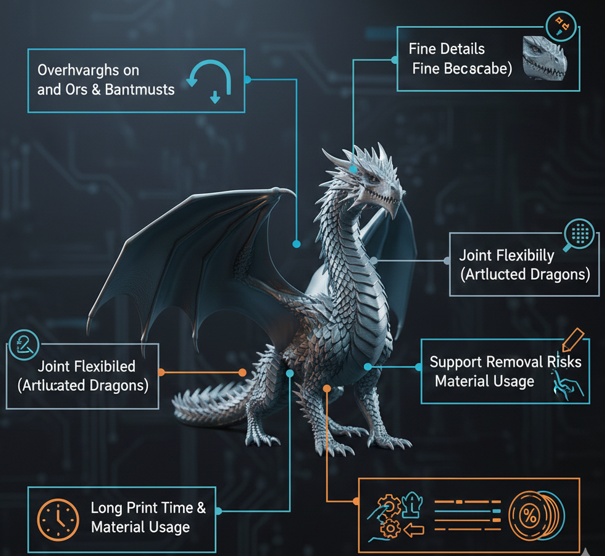
Dragon models are visually stunning but technically complex. They often include intricate scales, wings, tails, claws, and joints. These features create challenges such as overhangs, support requirements, and fine detail reproduction.
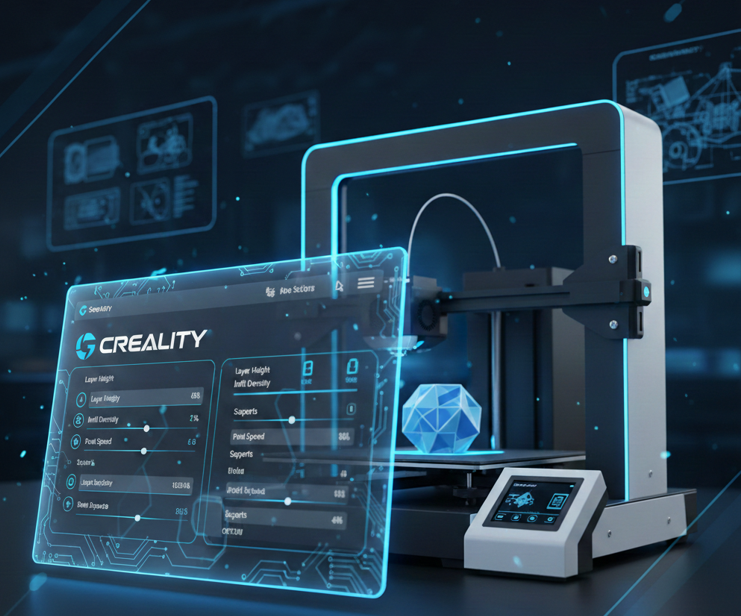
According to 3D printing experts, adjusting slicer settings like layer height, infill density, supports, and orientation is critical to achieving the right balance between detail, strength, and print time.
Common Challenges in Dragon Printing
- Overhangs on wings and tails
- Fine details like scales and facial features
- Joint flexibility in articulated dragons
- Support removal without damaging details
- Long print times and material usage
Understanding these challenges early helps beginners avoid failed prints and wasted filament.
How To Choose the Right Dragon Model (STL File)?
The quality of your dragon print starts with the model itself. Beginners should choose models optimized for FDM printing rather than overly complex sculptures.
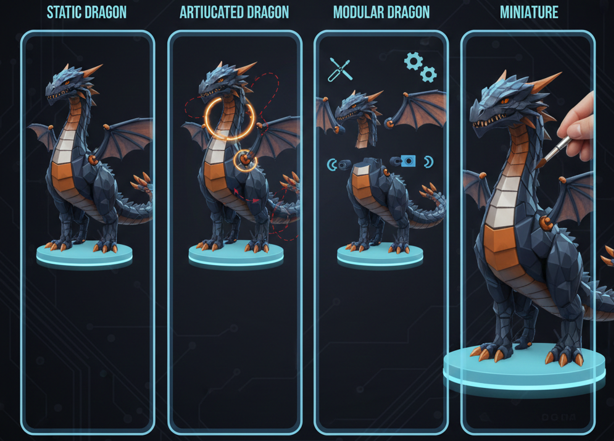
Types of Dragon Models
- Static Dragons – Decorative sculptures, easier to print.
- Articulated Dragons – Movable joints, more complex but popular.
- Modular Dragons – Printed in parts and assembled later.
- Miniature Dragons – High-detail models requiring fine settings.
Experts recommend previewing models layer-by-layer and adjusting orientation before printing to avoid errors.
Beginner Tips for Selecting Models
- Start with low-poly or simple dragons
- Avoid extreme overhangs
- Choose models with minimal supports
- Check user reviews and printability ratings
Essential 3D Printer Setup for Dragon Printing
Before printing, your printer must be properly calibrated. Even the best settings won’t help if your printer is misaligned.
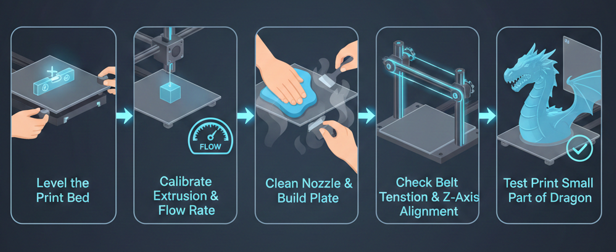
Key Printer Setup Steps
- Level the print bed accurately
- Calibrate extrusion and flow rate
- Clean the nozzle and build plate
- Check belt tension and Z-axis alignment
Testing a small part of the dragon, such as the head or wing, is recommended before printing the full model to identify potential issues.
Best Slicer Settings for Stunning Dragon Prints
Slicer settings determine the quality, strength, and appearance of your dragon. Below are optimized settings based on professional guides and real-world printing practices.
Layer Height – Detail vs Speed
Layer height is one of the most critical settings for dragon models.
- 0.08–0.1 mm → Ultra-high detail (best for scales and faces)
- 0.12–0.15 mm → Balanced detail and speed
- 0.2 mm → Standard quality for most prints
Experts recommend 0.1–0.2 mm layer height for articulated dragons to ensure smooth joints and detailed surfaces.
Infill Density – Strength and Material Efficiency
Infill affects durability and weight.
- 10–20% infill → Decorative dragons
- 20–35% infill → Balanced strength
- 40%+ infill → Functional or large models
Most dragon prints achieve the best balance at around 15–20% infill.
Print Speed – Accuracy Matters
Dragons require slower speeds for high-quality results.
- 40–50 mm/s → Best for detailed prints
- 60 mm/s → Faster but less detail
Slower speeds help maintain accuracy in complex areas like wings and scales.
Supports and Orientation
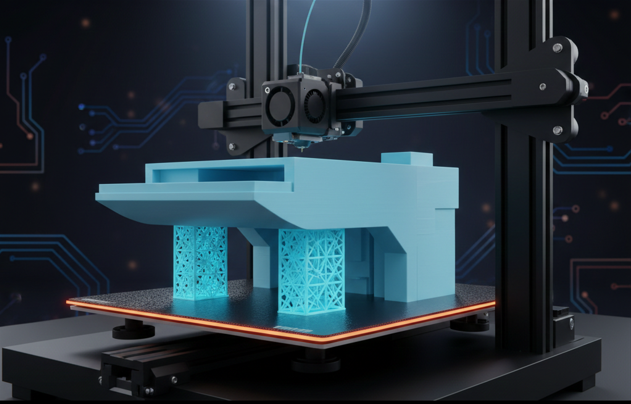
Dragons often require supports due to wings, claws, and tails.
Best Practices
- Tilt the model at 45° to reduce supports
- Use tree supports for organic shapes
- Support areas with overhangs above 60°
Proper orientation and support placement significantly improve surface quality and reduce post-processing work.
Temperature and Cooling
For PLA filament (most beginner-friendly material):
- Nozzle temperature: 190–210°C
- Bed temperature: 50–60°C
- Cooling fan: 100% after first layer
These settings ensure sharp details and reduce stringing or warping.
How To Choose the Right Filament for Dragon Printing?
Filament choice dramatically impacts the appearance of your dragon.
Popular Filaments for Dragons
PLA (Best for Beginners)
- Easy to print
- Great detail
- Minimal warping
PETG
- Stronger than PLA
- Slightly harder to print
ABS
- Durable but requires heated enclosure
Specialty Filaments
- Silk PLA for shiny dragons
- Glow-in-the-dark filament
- Marble or glitter PLA for fantasy effects
Using translucent or glitter PLA can enhance visual effects like flames or magical textures in dragon models.
Advanced Techniques for Professional-Looking Dragons
Once you master basic settings, you can elevate your dragon prints with advanced techniques.
Splitting Large Dragons into Parts
Large dragons can be cut into sections and assembled later using slicers like Meshmixer or PrusaSlicer.
Benefits:
- Better print quality
- Reduced failure risk
- Easier painting and assembly
Ironing and Surface Smoothing
Ironing smooths top layers and improves scale textures.
This technique is highly recommended for dragons with visible surfaces.
Optimizing Walls and Shell Thickness
- 3–4 perimeter walls improve durability
- Thicker shells enhance surface quality
These settings help preserve fine details while strengthening fragile parts like wings and tails.
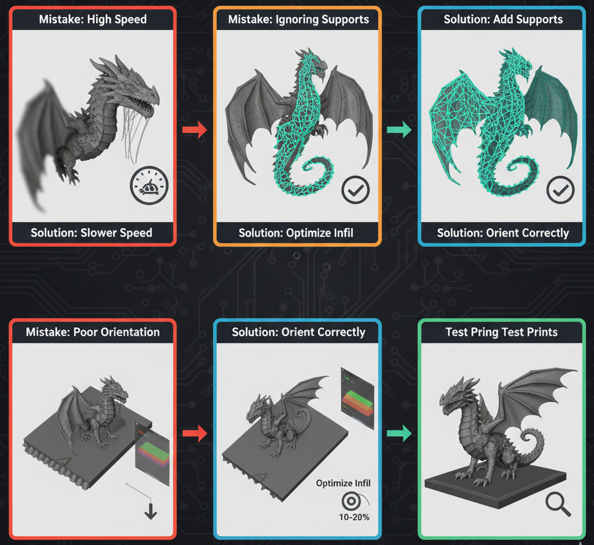
Common Mistakes Beginners Make (and How to Avoid Them)
Mistake 1: Using High Speed for Detailed Models
Many beginners print dragons at high speed, which reduces detail quality.
Solution: Lower the print speed to achieve smoother surfaces and sharper details.
Mistake 2: Ignoring Supports
Complex dragon parts like wings and tails often fail without proper support.
Solution: Add supports carefully in critical areas to prevent sagging or deformation.
Mistake 3: Using Too High Infill
High infill increases print time and material usage without much benefit.
Solution: Use 10–20% infill for decorative dragon models to balance strength and efficiency.
Mistake 4: Poor Model Orientation
Incorrect model placement can cause weak structures and rough surfaces.
Solution: Tilt the model and preview layers in the slicer before printing.
Mistake 5: Skipping Test Prints
Printing the full model without testing can lead to wasted time and filament.\Solution: Print small sections first to check settings and quality.
Pro Tips for Stunning Dragon Prints
Here are expert-level tips that most beginners don’t know:
- Use smaller nozzle sizes (0.2–0.3 mm) for ultra-detail
- Enable adaptive layers for better scale detail
- Combine multiple filament colors for gradient effects
- Use gyroid infill for better strength and aesthetics
- Print articulated dragons with slightly higher tolerance settings
These techniques can significantly improve print quality and reduce failures.
Conclusion
Creating a stunning 3D printed dragon is a perfect blend of creativity, technical knowledge, and patience. By selecting the right model, optimizing slicer settings, choosing suitable materials, and mastering post-processing, even beginners can produce professional-quality dragon prints.
Remember, the key to success lies in experimentation. Each dragon model is unique, and fine-tuning your settings will help you unlock the true potential of your 3D printer. With the tips and tricks in this guide, you’re now ready to bring your own mythical dragon to life.
Can I 3D print a dragon without supports?
Yes, you can print dragons without supports if the model is designed with minimal overhangs or optimized for support-free printing. Choosing articulated or specially designed models can help reduce the need for supports.
How long does it take to 3D print a dragon?
The printing time depends on the size, detail level, and settings. Small dragons may take 2–6 hours, while large or highly detailed models can take 20 hours or more.
What nozzle size is best for printing dragon models?
A standard 0.4 mm nozzle works well for most dragon prints. However, using a smaller nozzle like 0.2 mm can produce finer details, especially for scales and facial features.
Why do dragon prints sometimes break at joints or wings?
Dragon parts like wings and joints are thin and fragile, which makes them prone to breaking. Increasing wall thickness, adjusting infill, and printing at lower speeds can improve strength.
Is resin printing better than FDM for dragons?
Resin printing offers higher detail and smoother surfaces, making it ideal for miniature dragons. However, FDM printing is more beginner-friendly, affordable, and suitable for larger models.
Where can I find high-quality dragon STL files?
You can find dragon STL files on popular platforms like Thingiverse, Printables, MyMiniFactory, and Cults3D. Always check model reviews and printability before downloading.

I share practical insights on the latest 3D-printing software and hardware, helping makers navigate tools and technologies with confidence. My goal is to make digital fabrication simple and accessible for everyone.